Made for studying on your phone

Turn anything into a study session, wherever you are.

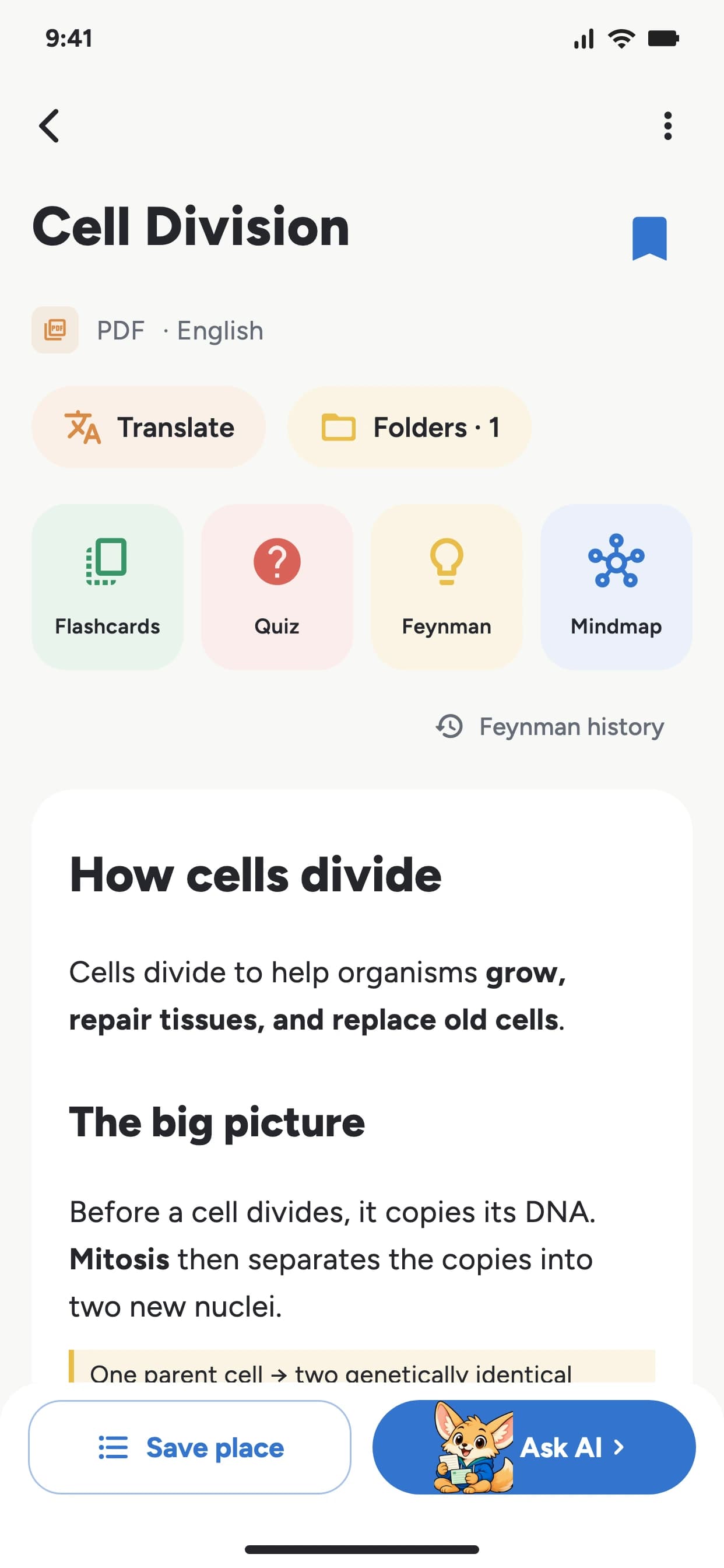
Record lectures, upload PDFs or PPTX decks, scan images, or paste YouTube links. StudyTok AI turns them into notes, quizzes, flashcards, mind maps, Feynman practice, and an AI chatbot you can ask anytime.

Download on the App StoreGet it on Google Play

First-time Premium offer in the app: save up to 44% as a first-time subscriber

50+

50+ Languages Supported

5

input types

AI

practice tools

StudyTok AI home screen

Fastest on mobile

Capture a lecture, commute, or reading session before the idea disappears.

Capture from anywhere

The app is built around real study moments.

Voice

PDFs

YouTube

Images

Slides

Experience powerful AI features on mobile

See the App in Action

The mobile app keeps creation, review, and practice close together, so study tools are ready when you need them.

AI Notes

AI Notes

Study Tools

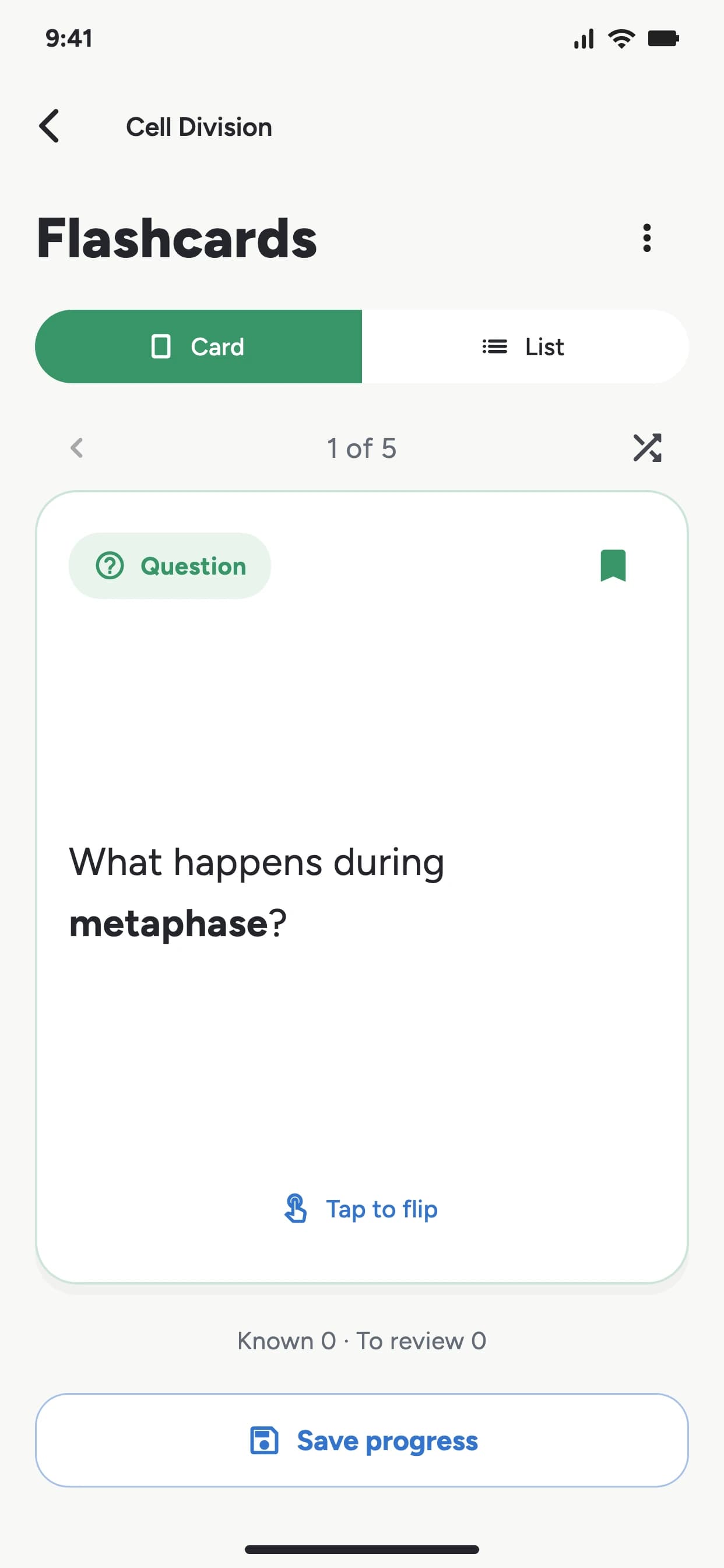
Study Tools

StudyTok AI

StudyTok AI

Feynman Technique

Feynman Technique

AI Chatbot

AI Chatbot

How it works

A mobile-first study flow.

01

Download the app

Start on iOS or Android, where capture is fastest.

02

Capture anything

Record, upload, paste, or bring in YouTube content.

03

Practice instantly

Turn every note into summaries, quizzes, and flashcards.

Great AI note taking for everyone

Everything you make becomes something you can practice.

Generate summaries and insights

Generate summaries and insights from your notes to help you study and memorize the content.

Generate Quizzes and Flashcards

Generate quizzes and flashcards from your notes to help you learn and memorize the content.

4. Feynman Flow

Explain it simply to your AI buddy and get follow-up questions until it sticks.

Chat with your notes

Ask follow-up questions when a concept still feels fuzzy.

The web app stays one click away.

People who already study on desktop can still sign in, manage notes, and use the browser workflow without hunting for it.

Trusted by students at

Harvard UniversityMITStanford UniversityYale UniversityUniversity of Chicago

Loved by students worldwide

Join thousands of students who are already learning smarter

Great

Great for first year in college. Well organized with the up date. Plus subscription is $60 yearly.

jazmarie duaz-10/14/2025

what i think?

prolly the best learning app

viper1085-08/25/2025

The BEST APP ever

This app is the best education assistant that I've ever seen and I'm so excited that I saw the ad and downloaded it. You are able to make notes, take flashcards, take exams and practice a lot. Highly recommended 👍

Parastesh.M-08/04/2025

Frequently Asked Questions

Everything you need to know about StudyTok AI

What file formats does StudyTok AI support?

We support audio files (MP3, M4A, WAV), images (JPG, PNG, GIF, WebP), PDFs, text input, and YouTube URLs. Our AI can process content in multiple languages automatically.

How does the Feynman Technique testing work?

The AI asks you questions about your study material, and you explain the concepts back using voice recording. Our AI then evaluates your understanding and provides feedback to help you learn more effectively.

Is StudyTok AI free to use?

Yes! StudyTok AI offers a free tier with basic features. Premium subscriptions unlock unlimited uploads, advanced AI features, and priority processing.

Which languages are supported by StudyTok AI?

We support over 50 languages including English, Spanish, French, German, Chinese, Japanese, Korean, and many more. The AI can automatically detect and translate content.

Is my data secure with StudyTok AI?

Absolutely. StudyTok AI uses enterprise-grade encryption and follows strict privacy policies. Your study materials and Feynman Technique sessions are processed securely and never shared with third parties.

StudyTok AI

StudyTok AI

Best in the mobile app

Download on the App StoreGet it on Google Play